Floating AI Webcam · for macOS

Your face,
on top of everything.

PeekCam AI turns your Mac webcam into a floating, always-on-top overlay — with AI background removal, face auto-tracking, and total control. Drag it anywhere. Reshape it. Look studio-grade with zero hardware.

100% on-device No green screen Works with every app

Requires macOS 13.0 or later · Apple silicon & Intel

REC 00:04:23
Q3 · Product Review

Shipping the next chapter of our roadmap.

Recording a walkthrough — and staying perfectly on camera the whole time.

Always on Top
Camera preview
Drag me anywhere · drop your own photo
Everything you need

Intuitive controls.
Powerful AI.

Every detail of your overlay, tuned the way you want — and powered by Apple's on-device intelligence.

AI Background Removal

Remove your background in real time using Apple's on-device Vision framework — no green screen, no extra hardware. Go transparent, blurred, solid color, or drop in a custom image.

Face Auto-Tracking

Move freely while you present. PeekCam detects and follows your face, keeping you perfectly centered.

8 Premium Presets

Professionally designed office and studio backgrounds, ready to apply in a single tap.

Flexible Shape

Switch between circle, rounded rectangle, or full-body mode. Resize and reposition freely.

Always on Top

The overlay floats above every window — browsers, video calls, presentation tools, and more.

Drag & Resize

Move your overlay to any position on screen, scale it to any size, then lock it in place.

Mirror Control

Toggle mirroring on or off for the most natural look on camera.

Keyboard Shortcuts

Show, hide, mirror, and move your overlay without ever touching the mouse.

AI Background

Remove, blur, or replace — in real time.

Apple's on-device Vision framework isolates you from your surroundings instantly. Pick the look that fits the moment.
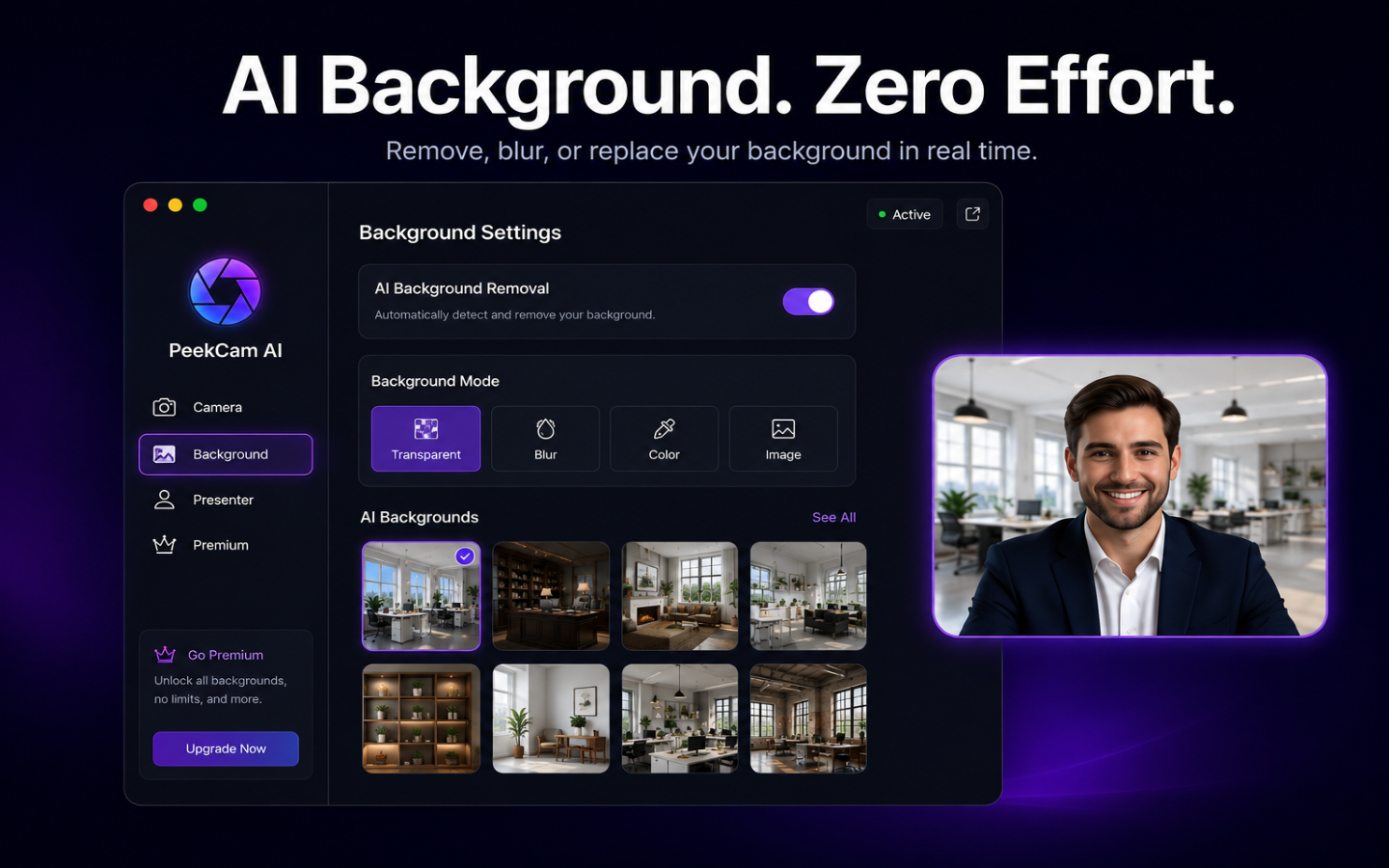
  • TransparentFloat cleanly over your screen with no backdrop at all.
  • Blur & Solid colorSoften what's behind you, or drop in a brand color.
  • 8 premium scenes + your own imagesCurated offices and studios, or upload a custom background.
PeekCam AI background settings showing transparent, blur, color and image modes
Your style, your rules

Three view styles. Total control.

From a minimal circle to a full-body frame — resize, reshape, and reposition until it's exactly right.
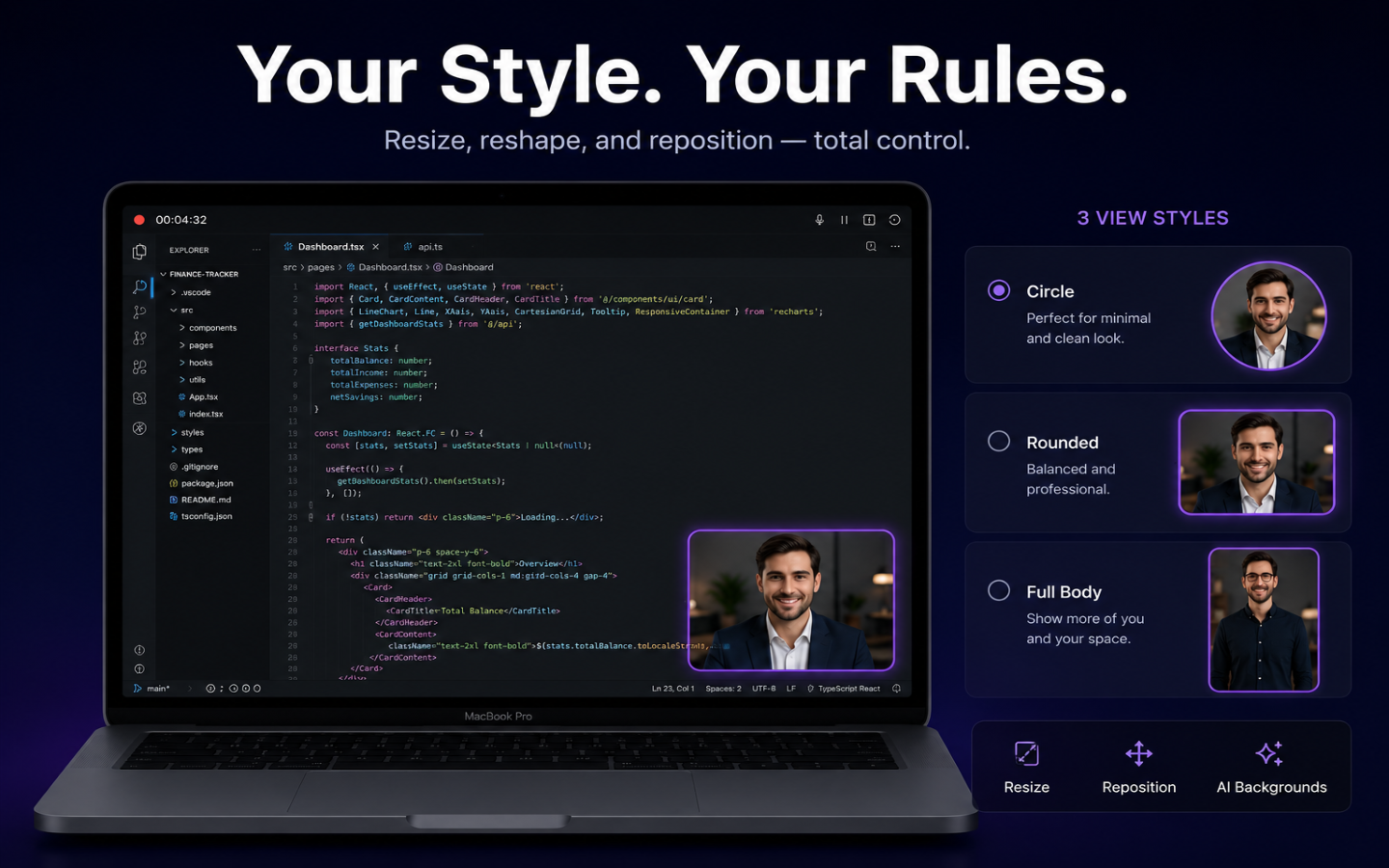
  • CirclePerfect for a minimal, clean look.
  • RoundedBalanced and professional.
  • Full bodyShow more of you and your space.
PeekCam AI three view styles: circle, rounded and full body
Always on top

Floats above every app you use.

Zoom Microsoft Teams OBS Studio Keynote Google Meet Loom QuickTime ScreenFlow PowerPoint Webex Zoom Microsoft Teams OBS Studio Keynote Google Meet Loom QuickTime ScreenFlow PowerPoint Webex
Built for Mac

Designed like it belongs on your Mac.

A native, beautifully simple control panel. Tune opacity, size, corner radius, borders and shadow — and pick your camera and mic, all in one place.
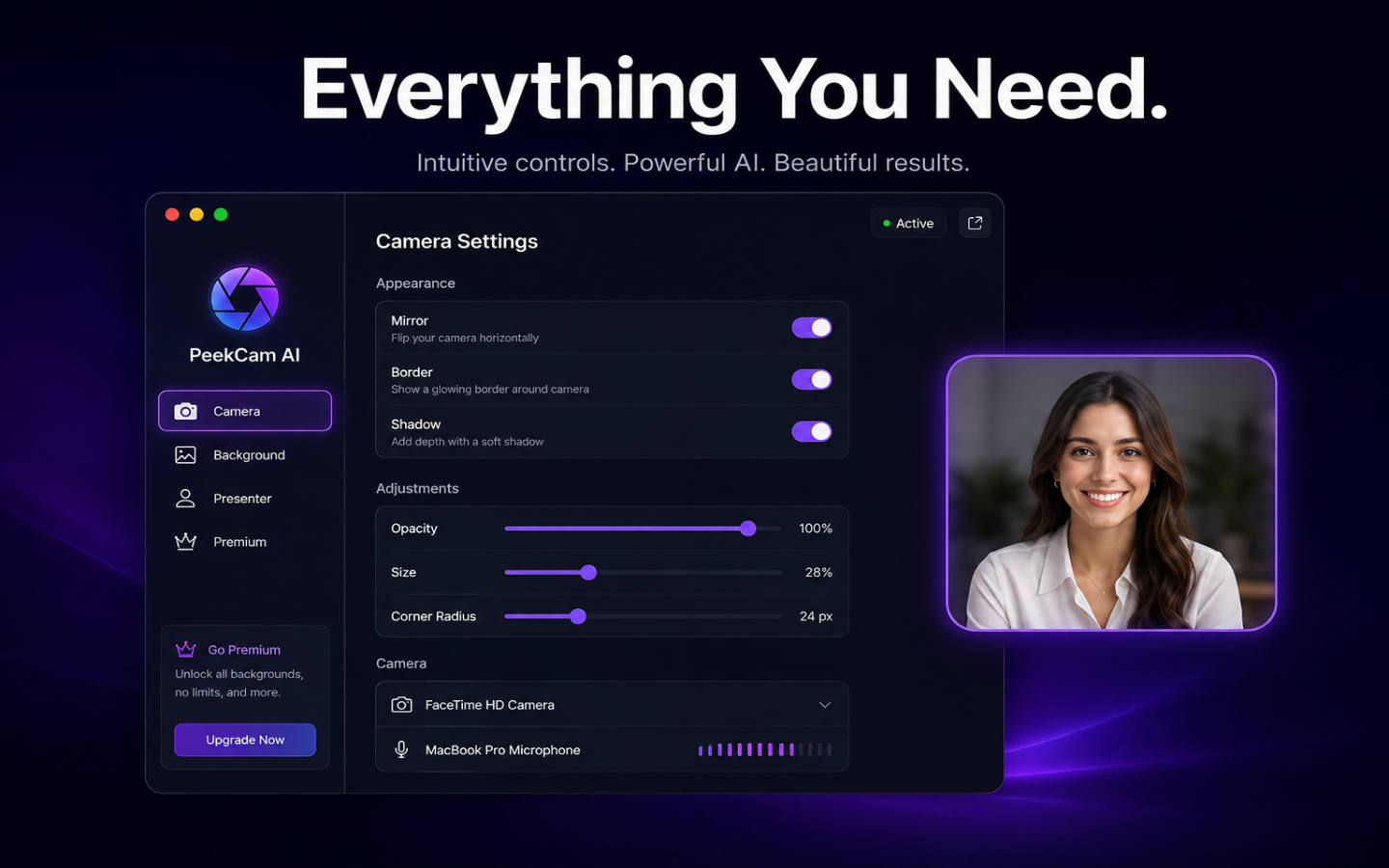
  • Fine-grained appearanceOpacity, size, corner radius, glowing border and soft shadow.
  • Camera & mic pickerChoose any connected camera and microphone with live levels.
  • Save unlimited presetsStore your favorite setups and switch between them instantly.
PeekCam AI camera settings panel
Perfect for

Whoever you're recording for.

Online teachers & tutors
Remote professionals
Live streamers
Keynote speakers
Podcasters & creators
PeekCam AI Pro

Unlock the full experience.

Everything that makes PeekCam shine — background AI, tracking, presets and more.

AI background removal Face auto-tracking Preset & custom backgrounds No watermark Unlimited custom presets All future updates
Download on theMac App Store

Try Pro free for 3 days. Cancel anytime in System Settings.

100% private. Always.

Every frame is processed locally on your Mac. Your camera feed never leaves your device — no servers, no uploads, no exceptions.